Passport photo generator built compliance-first.
Turn a photo you already have into a correctly sized 2 x 2 passport-style crop and 4 x 6 print sheet, with automated compliance checks built around U.S. State Department requirements.
What is this tool?
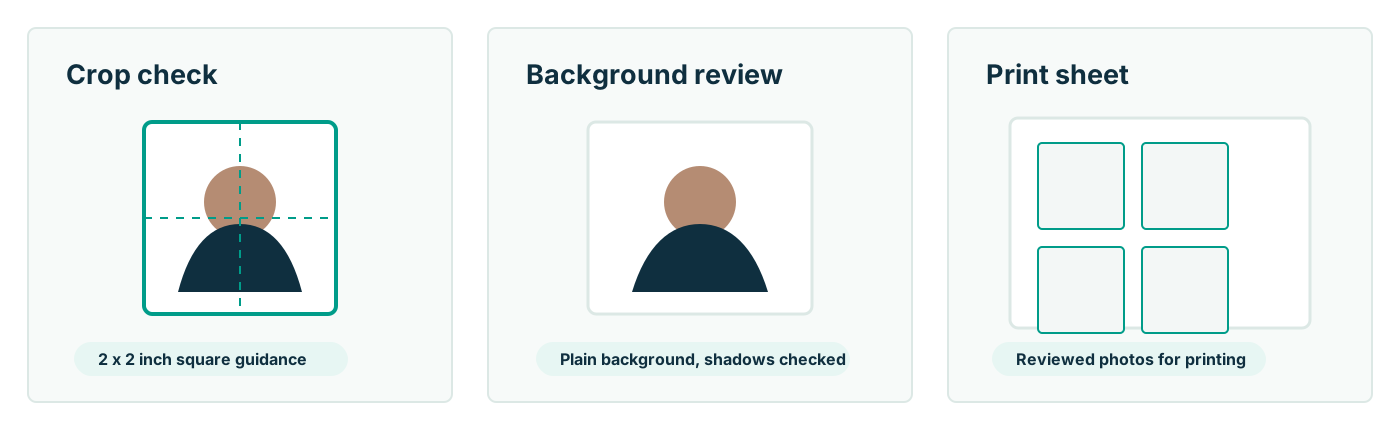
Passport Photo AI is a web app that turns a photo you already have into passport-format output: a centered, correctly proportioned 2 x 2 inch crop and a 4 x 6 print sheet, with automated checks against the U.S. requirements — head size in the 1 to 1 3/8 inch band, plain background, level pose, adequate sharpness. Upload a photo, review the checks, download the results, and print anywhere that prints 4 x 6 photos.
It is built compliance-first. The U.S. State Department requires the original, unedited photo — no filters, no digital changes, and explicitly no images created or edited with AI tools. So the workflow intended for submissions keeps your pixels intact and confines the software to what the rules permit: cropping, sizing, checking, and layout.
How does it work?
- Upload a recent, front-facing photo — plain light wall behind you, even lighting, no glasses.
- Face detection measures your chin-to-crown height and centers the official 2 x 2 geometry around it.
- Compliance checks flag likely problems before you submit anything: head too large or small, tilt, shadows, busy background, low resolution.
- Download the digital square for online renewal upload and the 4 x 6 print sheet for kiosk printing.
The AI can also generate a re-posed, straight-on render from an angled photo. That mode is for previews and non-government uses — profile photos, badges, seeing what correct framing looks like on you — because a synthesized view is exactly what official guidance disallows for passport submission.
What the U.S. requirements actually say
| Requirement | Official rule |
|---|
| Size | 2 x 2 in (51 x 51 mm) square |
| Head size | 1–1 3/8 in (25–35 mm), chin to top of head |
| Recency | Taken in the last 6 months |
| Background | Plain white or off-white, no shadows, textures, or objects |
| Expression | Neutral, both eyes open, mouth closed, facing the camera directly |
| Glasses | Not allowed without a signed medical statement |
| Editing | Original, unedited photo — no filters, no AI-created or AI-edited images |
| Digital file (online renewal) | JPG/JPEG/PNG/HEIC/HEIF, 54 KB–10 MB, sharp, not a scan of a print |
These come from travel.state.gov and are summarized for convenience — always check the official pages before you submit, since requirements can change.
Why compliance-first matters now
Requirements around digital editing have tightened. The State Department's guidance now names AI directly — "do not use a photo you created or edited using artificial intelligence or other digital tools" — and the online renewal system runs an automated photo check on every upload before a human reviews the application. Photos with signs of manipulation invite delay or rejection, and a rejected photo costs weeks, not dollars.
That changes what a good passport photo tool should be. Not a beautifier — a measurer. Passport Photo AI applies the official geometry to the photo you actually took, tells you what looks non-compliant while it is still free to fix, and leaves appearance-altering generation clearly labeled and out of the submission path. You remain responsible for the photo you submit, and acceptance is never guaranteed by any tool — but you can walk into the process with the specification already met.
Where do you go from here?
The fastest path: take a fresh photo now — plain light wall, soft window light, someone else holding the phone at your eye level from about four feet, neutral expression, no glasses — and upload the sharpest frame. Review the automated checks, download the digital square and the 4 x 6 sheet, and either upload during online renewal or print at a pharmacy kiosk for under a dollar and cut on the guides.
If you want to understand the rules before you shoot, start with the complete requirements checklist, then the specifics that answer most questions: expression, glasses, clothing, and backgrounds. Families should read the baby photo guide — infant rules differ in a few forgiving ways. And whichever route you take, give the final image one last read against the official pages at travel.state.gov before it goes anywhere official.
FAQ
What does the passport photo generator produce?
Two outputs from one upload: a square 2 x 2 passport-style digital crop suitable for online workflows, and a 4 x 6 print sheet holding multiple 2 x 2 copies you can print at any pharmacy kiosk for under a dollar.
Can I generate a passport photo from an angled photo?
The AI can render a straight-on version of an angled photo — useful as a preview or for non-government uses. For an actual U.S. passport submission, official guidance requires the original, unedited photo, so use the generator's crop-and-check workflow on a real straight-on shot instead.
Does the generator edit my face?
Not in the compliance workflow. There, the tool crops, sizes, checks, and lays out your photo — formatting operations that leave your appearance untouched, which is what the State Department's no-digital-changes rule requires.
Does this guarantee my photo will be accepted?
No, and no honest tool can. Acceptance is decided solely by the passport agency or acceptance facility. The generator's job is to give your photo the correct geometry and flag likely problems; verifying the final image against official requirements is always yours.
What photo should I upload for best results?
A sharp, recent, front-facing shot taken by someone else from about four feet away, against a plain white or off-white wall in even daylight, framed from mid-torso up with space above your head.
How much does it cost?
The generator uses credit packs rather than per-store pricing. One generation covers both the digital crop and the print sheet — typically far below the $15–17 charged for two prints at a counter.
