U.S. passport photo, made online.
Make a U.S. passport photo online: the digital photo rules for online renewal, the 2 x 2 print spec for paper applications, and a checked, correctly cropped photo from your browser.
Who this page is for
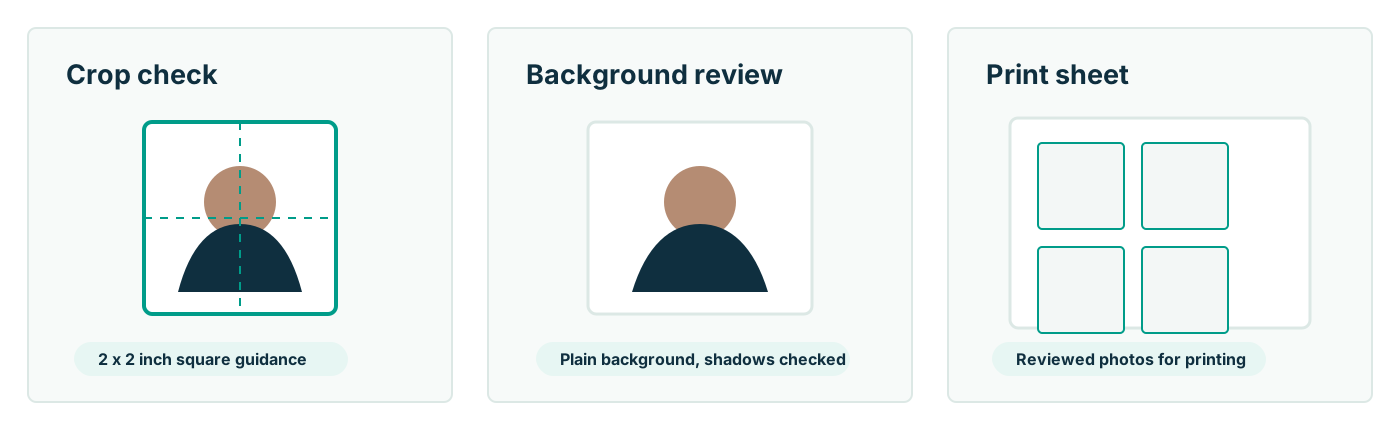
You need a U.S. passport photo and would rather handle it from a browser than a drugstore line. Maybe you are renewing online and need a digital file that survives the government's upload check; maybe you are filing a DS-11 and need printed 2 x 2 photos for under a dollar instead of $17. Passport Photo AI covers both from one upload: it applies the official U.S. crop — 2 x 2 inch square, head between 1 and 1 3/8 inches chin to crown — runs compliance checks, and exports a digital square plus a 4 x 6 print sheet.
The final decision always belongs to the passport agency or acceptance facility. The tool's job is to make sure the photo you submit is not losing on technicalities like head size, framing, or file format.
The two deliverables, explained
| Digital photo (online renewal) | Printed photo (DS-11 / mail) |
|---|
| What you submit | One image file uploaded at opr.travel.state.gov | One 2 x 2 in print attached to the application |
| Format | JPG, JPEG, PNG, HEIC, or HEIF; 54 KB–10 MB | Photo-quality paper, matte or glossy |
| Key rules | Sharp original — not a scan or photo of a print; no filters or AI edits | Exactly 2 x 2 in after printing; no photocopies |
| Who qualifies | Age 25+, 10-year passport expiring within 1 year or expired <5 years, no name change, in the U.S., not traveling within 6 weeks | Everyone else — first-timers, children, replacements |
Both start from the same source: a recent, front-facing, unedited photo of you against a plain white or off-white wall.
How to get a compliant photo from home
- Set up: plain light wall, soft daylight from a window in front of you, no hats, no glasses, everyday clothing (no uniforms or camouflage).
- Shoot: someone else holds the camera at your eye level about four feet away; you face the lens directly with a neutral expression, mouth closed, both eyes open. Take plenty of frames.
- Format online: upload the best frame; the tool centers your head, sizes the crop to spec, and flags shadows, tilt, or background problems.
- Deliver: upload the digital square during online renewal, or print the 4 x 6 sheet at a kiosk and cut out the 2 x 2 photos for a paper application.
Notice what is not in the list: retouching. The State Department requires the original, unedited photo and explicitly rules out images created or edited with AI. Fix problems by reshooting, not by generating.
Common questions this workflow answers
Most passport-photo anxiety reduces to four questions. Is my head the right size? — solved by measured cropping rather than eyeballing. Is my background plain enough? — checked before submission, and fixed by moving to a better wall if not. Will the file upload? — the output is sized within the 54 KB–10 MB window in an accepted format. Am I allowed to do this myself? — yes; the government publishes the spec precisely so applicants can meet it without a studio. For deeper dives, see the guides on online renewal photo upload, why photos get rejected, and shooting at home with a phone. And before you submit anything, verify the photo against the official checklist — that responsibility stays with you, and this tool is designed around respecting it.
FAQ
Can I make a valid U.S. passport photo online?
Yes. There is no requirement that a passport photo come from a studio — only that it meets the official specification and is unedited. An online tool can legitimately crop, size, check, and lay out the photo you took; what it must not do is alter your appearance.
Is this for the online renewal photo upload?
That is a primary use case. Online renewal at opr.travel.state.gov needs a digital original — JPG/JPEG/PNG/HEIC/HEIF, 54 KB–10 MB, plain background, unedited. This tool outputs a correctly framed square from your photo and pre-checks it before you face the government upload tool.
Can I use it for a paper application too?
Yes. The same generation produces a 4 x 6 print sheet with 2 x 2 crops for form DS-11 or mail renewal — print it at a pharmacy kiosk on photo paper and cut on the guides.
Does it work for other countries' photos?
The current workflow is written around U.S. passport requirements. Other countries use different sizes (35 x 45 mm is common) and different rules, so do not reuse a U.S.-formatted photo for another country's application without checking their spec.
Will my photo definitely be accepted?
No tool can promise that. The passport agency or acceptance facility makes the decision. What an online tool can honestly offer is correct geometry and early warnings — verify the final image against travel.state.gov requirements before submitting.
What if my only decent photo is angled or has a busy background?
Retake it — genuinely. Official guidance requires an original, unedited image, so digitally straightening a face or repainting a background is the kind of change that gets photos flagged. A phone, a plain wall, and two minutes produce a compliant original; the tool then handles the exacting crop math.
