
U.S. Passport Renewal Online: Photo Upload Requirements
Who qualifies for online U.S. passport renewal, the exact digital photo file requirements (format, size, background), and how to avoid the upload tool rejecting your photo.
Who qualifies to renew a U.S. passport online?
Online renewal at opr.travel.state.gov is open to a specific slice of applicants. Per the State Department, you must meet all of these conditions: the passport you are renewing was valid for 10 years and is expiring within 1 year or expired less than 5 years ago; you are age 25 or older; you are not changing your name, sex, or other personal information; you are physically in a U.S. state or territory when you apply; you have the passport, it is undamaged, and it was never reported lost or stolen; and you are not traveling for at least 6 weeks, because online renewals cannot be expedited. Miss any one of those and you renew by mail with form DS-82 instead — with a printed photo rather than an upload.
What are the exact digital photo requirements?
The upload wants a recent, unedited, well-lit digital original. Here is the specification from the official upload page, condensed:
| Requirement | Rule |
|---|---|
| File type | JPG, JPEG, PNG, HEIC, or HEIF |
| File size | 54 KB to 10 MB |
| Recency | Taken in the last 6 months |
| Color | Color photo, sharp and in focus — not grainy or pixelated |
| Background | Plain white or off-white, free of shadows, textures, or objects |
| Framing | Head centered and fully visible; bottom of frame around the edge of your shoulders |
| Pose | Facing the camera directly, neutral expression, both eyes open, mouth closed |
| Glasses / face coverings | Removed, except documented religious or medical reasons |
| Editing | Original, unedited photo — no filters, no AI-created or AI-edited images |
| Source | A real digital capture — not a scan or photo of a printed photo |
How do I upload the photo, step by step?
- Take the photo (or have someone take it) standing several feet from a plain white wall in even light, with your head and shoulder line framed.
- Transfer the original file to the device you will apply from — avoid messaging apps that recompress images; use AirDrop, cable, or cloud sync.
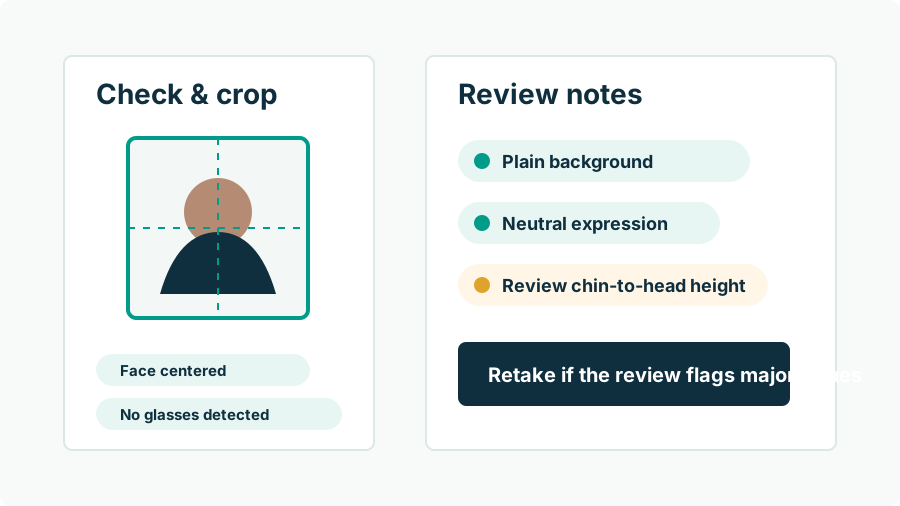
- Crop to a square if needed, keeping your head centered with space above it. Cropping is formatting, not alteration.
- Create your account at opr.travel.state.gov and complete the renewal form.
- Upload the photo when prompted. The photo tool checks basic requirements and tells you specifically what to fix if it refuses the image.
- Pay and submit — $130 for a passport book — then track status through the same account.
Passport Photo AI can produce the correctly framed square from your original and run pre-checks before you ever reach the government tool, which is where most upload frustration happens.
Why do photos fail the online upload check?
The automated tool refuses photos for concrete, fixable reasons: file too small or too large, face not detected or not centered, head too big or too small in frame, background not plain enough, shadows across the face or wall, and image quality problems like blur or heavy compression. Screenshots and re-saved social media images fail disproportionately because compression artifacts read as low quality. The frustrating near-misses are usually framing — cropped too tight to the chin or with the head far off-center — which is exactly what dedicated crop tooling prevents. If the tool rejects your upload, read its message literally and fix that one thing; it names the failed requirement rather than making you guess.
Does the State Department detect edited or AI photos?
The government does not publish the internals of its screening, but two things are official and public: the upload rules prohibit photos created or edited with AI or other digital tools, and every upload passes through an automated photo check before a human ever processes the application. Photos showing signs of digital manipulation — repainted backgrounds, synthetic smoothing, inconsistent lighting — can be flagged at either stage, and a flagged photo means delay at best and rejection at worst. The practical takeaway is boring but reliable: give them a real photo. Fix your background by standing in front of a better wall, not by generating one, and keep software in a formatting role. Our guide on why passport photos get rejected covers the full failure list.
What happens after I submit?
You get a confirmation and can track the application in your online account. Routine processing takes several weeks — and remember, online renewals cannot be expedited, which is why the 6-weeks-before-travel rule is an eligibility condition rather than advice. If the photo is rejected during processing, the State Department contacts you with instructions to submit a new one, which restarts the clock on that portion of the review. That is the strongest argument for getting the photo right the first time: the cost of a bad photo is not the photo, it is the weeks. Verify the final image against the official checklist yourself before submitting — no third-party tool, including ours, decides acceptance.
FAQ
Can I renew my passport online?
You can renew at opr.travel.state.gov if your current passport was valid for 10 years and is expiring within 1 year or expired less than 5 years ago, you are 25 or older, you are not changing your name or other personal information, you are inside the U.S., your passport is undamaged and in your possession, and you are not traveling within 6 weeks. Online renewals cannot be expedited.
What file types does the photo upload accept?
JPG, JPEG, PNG, HEIC, or HEIF, with a file size between 54 KB and 10 MB. The photo must be in color, taken in the last 6 months, against a plain white or off-white background.
Can I upload a scan of a printed passport photo?
No. Official guidance says not to take a photo of a printed photo or scan a physical print — it lowers quality and is a stated reason for failure. Upload the original digital file straight from the camera.
Will the system catch problems with my photo automatically?
Yes, at a basic level. The State Department's photo tool checks uploads against core requirements and tells you what to change if the photo is not acceptable. Passing the automated check is necessary but not a guarantee — a human can still reject the photo during processing.
Can I use an AI-edited photo for the online upload?
No. The upload page states plainly: do not use a photo you created or edited using artificial intelligence or other digital tools, and no filters or digital changes are allowed. Cropping your original to a square is fine; changing how you look is not.
How much does online renewal cost?
A passport book is $130, a card is $30, and both together are $160, paid online during the application. Optional 1–3 day return delivery of the finished passport costs extra.
How Passport Photo AI helps
Passport Photo AI turns an everyday photo into a passport-style crop or print sheet. It centers the face, sizes the head to the official 2 x 2 geometry, flags likely compliance problems like shadows or tilt, and exports both a digital square and a 4 x 6 print layout. It does not alter your appearance in the submission workflow, and the final decision always belongs to the passport agency or acceptance facility — verify your photo against the official requirements before you submit it.