
Can You Take a Passport Photo at Home With an iPhone?
Yes — if you follow the spec. Camera settings to avoid (Portrait mode, filters), the wall-window-distance setup, and how to turn a phone shot into a compliant 2 x 2 photo.
Is a home iPhone photo actually allowed?
Yes, unambiguously. The State Department publishes the photo specification precisely so anyone can meet it, and nothing in the rules requires a studio, a booth, or a paid service. What the rules do require is discipline about the output: taken in the last 6 months, in color, plain white or off-white background free of shadows, full-face view straight at the camera, neutral expression with mouth closed and both eyes open, no glasses, no hat, and — the modern emphasis — "the original, unedited photo without filters or digital changes." A phone is only the capture device; compliance lives in your setup and your restraint after the shutter. Get those right and a kitchen-wall iPhone photo is exactly as legitimate as a $17 drugstore print.
How do you set up the shot?
- Find the wall: plain, white or off-white, nothing hanging nearby. Stand 3–6 feet in front of it so your shadow misses it.
- Face a window: soft daylight from in front of you lights the face evenly; avoid overhead-only light and harsh direct sun.
- Recruit a photographer: rear camera, held at your eye level, about four feet away, framing you from mid-torso up with clear space above your head.
- Pose: face the lens dead-on — both ears equally visible, chin level, shoulders square, neutral expression, mouth closed, eyes open, hair off the face.
- Shoot a burst of 10–20 frames and vary nothing but micro-expression.
- Pick the winner: sharpest frame, even wall behind you, no blink, no shadow.
Which iPhone settings help — and which get photos flagged?
| Setting / habit | Verdict | Why |
|---|---|---|
| Standard Photo mode, rear camera | Use it | True-to-life capture at ample resolution |
| Portrait mode | Avoid | Synthetic background blur is a digital alteration |
| Filters / Photographic Styles / beauty effects | Avoid | "No filters" is the literal official wording |
| Night mode / flash against the wall | Avoid | Color casts, red-eye, hard wall shadows |
| Self-timer on a propped phone | Fine | Solves the no-helper problem without selfie distortion |
| Zoom (optical 1–2x) | Fine | Keeps proportions natural from a comfortable distance |
| Editing in the Photos app afterward | Crop only | Exposure, retouch, and effect edits alter the image |
What can software legitimately do with your phone photo?
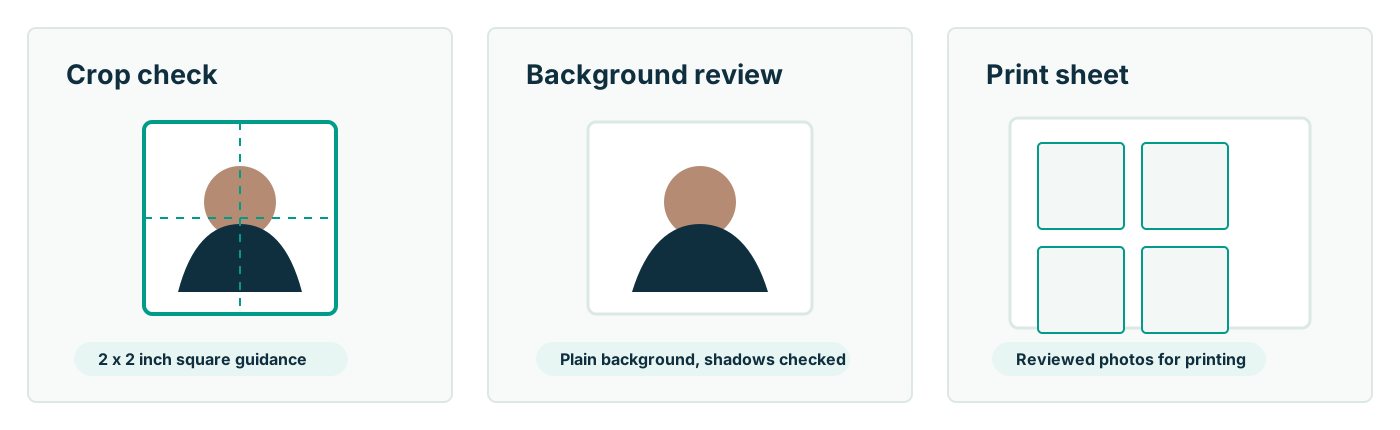
Formatting — and formatting is genuinely useful. The official 2 x 2 geometry requires your head to measure 1 to 1 3/8 inches chin-to-crown in the final image, a proportion nobody reliably eyeballs. Passport Photo AI takes your unedited frame, detects the face, builds the compliant crop, warns you about shadows, tilt, background clutter, and low sharpness, and exports both the digital square (for online renewal upload) and a 4 x 6 print sheet (for paper applications). What it deliberately does not do to a submission photo: smooth skin, relight your face, swap the wall, or straighten a turned head. Those are appearance-altering edits, they are exactly what current guidance prohibits, and the honest fix for each is a reshoot — which, at home, costs you thirty seconds.
How do you deliver the photo — print or upload?
For a paper application (DS-11 or mail renewal), print the 4 x 6 sheet at a pharmacy kiosk on matte or glossy photo paper — about fifty cents — then measure a square to confirm it printed at exactly 2 x 2 inches before cutting; kiosk fit-to-page settings can silently rescale. For online renewal, upload the digital square at opr.travel.state.gov: the file must be JPG, JPEG, PNG, HEIC, or HEIF between 54 KB and 10 MB, and it must be the real digital original — the rules explicitly say not to photograph or scan a printed photo. Transfer matters more than people think: AirDrop or sync the actual file, because messaging apps recompress images into the grainy, artifact-ridden territory the upload tool refuses.
What's the final pre-submission checklist?
Run the winning frame against the official list one last time: taken within 6 months — check. Color, sharp, no grain — check. Plain white or off-white background, no shadows, textures, or objects — check. Head centered, facing the camera directly, neutral expression, mouth closed, both eyes open — check. No glasses, no hat, no headphones, no uniform-like clothing — check. Zero edits: no filters, no Portrait blur, no retouching, nothing AI-generated — check. Correct 2 x 2 crop with head size in the 1–1 3/8 inch band — handled by your formatting tool, verified by your eyes. Clear all of that and your home photo stands as good a chance as anything from a counter. The passport agency makes the final call, so verification stays your job — but at this point it is a checklist, not a gamble.
FAQ
Can I use an iPhone photo for a U.S. passport application?
Yes. There is no professional-photographer requirement — the photo just has to meet the official specification: recent, color, plain light background, straight-on neutral face, correct 2 x 2 framing, sharp, and completely unedited.
Should I use Portrait mode?
No. Portrait mode applies synthetic background blur — a digital alteration of the image. Shoot in standard Photo mode with no filters, no style presets, and no beauty effects. The State Department requires the original, unedited photo.
Can I take it as a selfie?
Front-camera arm-length selfies distort facial proportions and make straight-on framing hard. Have someone else shoot with the rear camera from about four feet away. If you're alone, prop the phone and use the self-timer instead of your arm.
Is iPhone resolution good enough?
Easily. Any recent phone's rear camera far exceeds what a 2 x 2 print or the online upload needs. Quality failures come from blur, bad light, or recompression (screenshots, messaging apps) — not from the sensor.
How do I get the file to the renewal upload without quality loss?
Move the original file via AirDrop, cable, or cloud sync. Avoid texting or social apps that recompress images, and never photograph or scan a print of the photo — that is explicitly against the upload rules.
How Passport Photo AI helps
Passport Photo AI turns an everyday photo into a passport-style crop or print sheet. It centers the face, sizes the head to the official 2 x 2 geometry, flags likely compliance problems like shadows or tilt, and exports both a digital square and a 4 x 6 print layout. It does not alter your appearance in the submission workflow, and the final decision always belongs to the passport agency or acceptance facility — verify your photo against the official requirements before you submit it.