
Can You Smile in a Passport Photo?
Current U.S. guidance says neutral expression, mouth closed. What that means in practice, why the rule exists, what happens to big smiles, and how to look like yourself anyway.
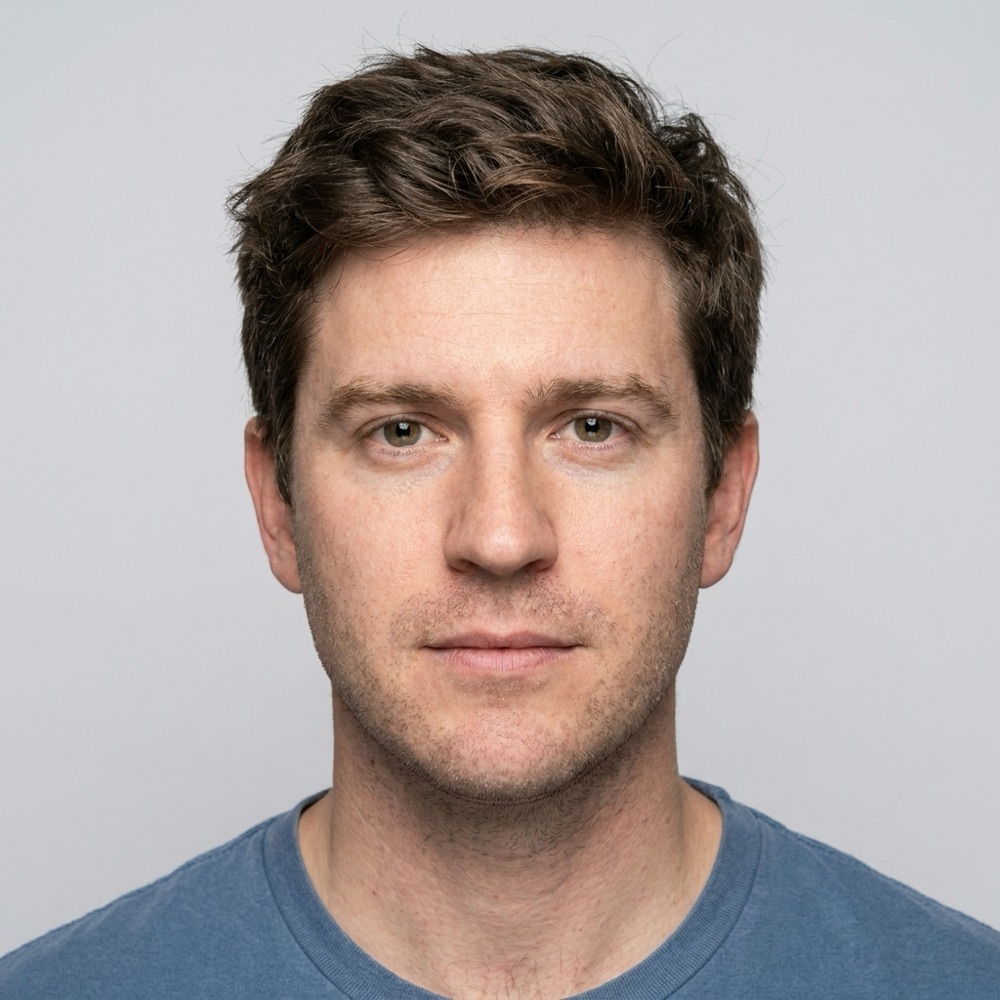
What does official guidance say about smiling?
The State Department's current photo instructions are concrete: face the camera directly with "a neutral expression, both eyes open and visible, and mouth closed." That wording is tighter than the older advice many people remember (which tolerated a "natural smile"), and it is the standard your photo will be reviewed against today. In practice, reviewers are not hunting for the faintest hint of pleasantness — they are screening out expressions that change facial geometry: wide grins, visible teeth, open mouths, squinted or crinkled eyes, raised brows. The reliable reading: your resting face, looking straight into the lens, mouth closed. If you want warmth in it, keep it small enough that your eyes and cheeks don't move.
Why does a passport photo have to be neutral?
Because the photo isn't for looking good — it's a biometric reference used for the life of the document. Border officers compare it against your unsmiling, queue-tired face at a checkpoint; automated gates and facial recognition systems measure distances and shapes — eye openness, mouth line, cheek contours — that a strong smile physically moves. A photo taken mid-grin matches its owner worse for up to ten years. The neutral-expression rule, like the plain background and straight-on pose rules, exists to make every passport photo a standardized measurement rather than a portrait. Seen that way, the rule stops feeling arbitrary: you are not being asked to look grim, you are being asked to look measurable.
Which expressions actually cause problems?
| Expression | Risk level | Why |
|---|---|---|
| Relaxed neutral, mouth closed | Safe | Matches the official instruction exactly |
| Faint closed-mouth smile, eyes normal | Low | Minimal geometry change; generally tolerated |
| Broad smile with teeth | High | Open mouth conflicts with "mouth closed"; cheeks/eyes shift |
| Laughing, open mouth | Rejection-likely | Major geometry change |
| Squinting or eyes narrowed by grin | High | "Both eyes open and visible" is explicit |
| Raised eyebrows / surprise | Moderate | Non-neutral; alters eye and brow measurements |
| Frowning or exaggerated stern face | Moderate | Neutral means at rest, not theatrical seriousness |
How do you look like yourself with a neutral face?
Most people's complaint about passport photos is really about tension — the clenched, startled look of someone ordered not to smile. The fix is physical, not photographic: exhale just before the frame, unclench your jaw so your molars don't touch, drop your shoulders, and think of something mildly pleasant while keeping your lips closed and at rest. Look into the lens itself, not the screen preview — off-axis eyes read as evasive. Shooting a burst of 10–20 frames at home makes this easy in a way a one-shot counter photo never can: somewhere in the burst is a frame where your face is at genuine rest rather than performed rest. That frame is both compliant and recognizably you, which is the actual goal.
What are the rules for kids and babies?
Infants get formal slack: the State Department accepts that a baby's eyes may not be entirely open, and nobody expects studio neutrality from a newborn — a calm, non-crying face pointed at the camera is the realistic target (the baby photo guide covers the sheet and car-seat methods). All other children are held to the adult standard: eyes open, mouth closed, neutral. For toddlers and young kids, the practical technique is timing rather than instruction — shoot bursts during a calm moment, use a parent stationed silently behind the camera as a focus point, and never try to coax a "nice smile," since coaxing produces exactly the exaggerated expression the spec penalizes. One usable neutral frame out of thirty attempts is a win; you only need one.
Can software neutralize a smile afterward?
It can — and you shouldn't let it, not on a submission photo. Generative tools will happily close a mouth or de-crinkle eyes, but that is precisely a "photo edited using artificial intelligence," which current guidance names as unacceptable, and expression edits alter the exact facial geometry the document exists to record. The legitimate software role is the same as everywhere in this process: pick your best genuinely neutral frame, then let tooling handle the measurable parts — Passport Photo AI centers the head, builds the official 2 x 2 crop, flags problems like tilt or shadows, and produces the digital square and print sheet from your untouched pixels. Expressions are the cheapest thing in photography to retake. Retake, don't retouch — and verify the final photo against the official checklist before submitting, because that judgment always remains with the passport agency.
FAQ
Can I smile in a U.S. passport photo?
Play it safe: the State Department's current instruction is to face the camera directly with a neutral expression, both eyes open and mouth closed. A big or open-mouth smile risks rejection; a barely-there relaxed expression is the reliable choice.
Will a slight smile get my photo rejected?
A faint, closed-mouth, eyes-open expression that doesn't change your facial geometry is generally tolerated in practice. The further an expression moves your cheeks, eyes, and mouth from rest, the more rejection risk you take on — so keep it minimal or skip it.
Why are passport photos so strict about expression?
The photo is a biometric reference. Facial recognition systems and border officers compare it to your at-rest face; a strong smile changes measurable geometry — eye aperture, cheek position, mouth shape — and degrades the match.
Do babies need a neutral expression?
Infant expressions are judged leniently — it's even acceptable if a baby's eyes aren't entirely open. Avoid mid-cry shots and aim for a calm face pointed at the camera; older children are held to the normal standards.
Can I fix my expression with editing or AI?
No. Adjusting a mouth, opening eyes, or neutralizing a smile digitally makes the photo an edited image, which current guidance explicitly disallows. Take another frame — expressions are free to retake.
How Passport Photo AI helps
Passport Photo AI turns an everyday photo into a passport-style crop or print sheet. It centers the face, sizes the head to the official 2 x 2 geometry, flags likely compliance problems like shadows or tilt, and exports both a digital square and a 4 x 6 print layout. It does not alter your appearance in the submission workflow, and the final decision always belongs to the passport agency or acceptance facility — verify your photo against the official requirements before you submit it.