
How Much Do Passport Photos Cost in 2026?
Passport photo prices compared — USPS $15, CVS ~$17, Walmart ~$8, DIY under $1 — plus the application fees behind them and how families cut the photo bill to almost nothing.
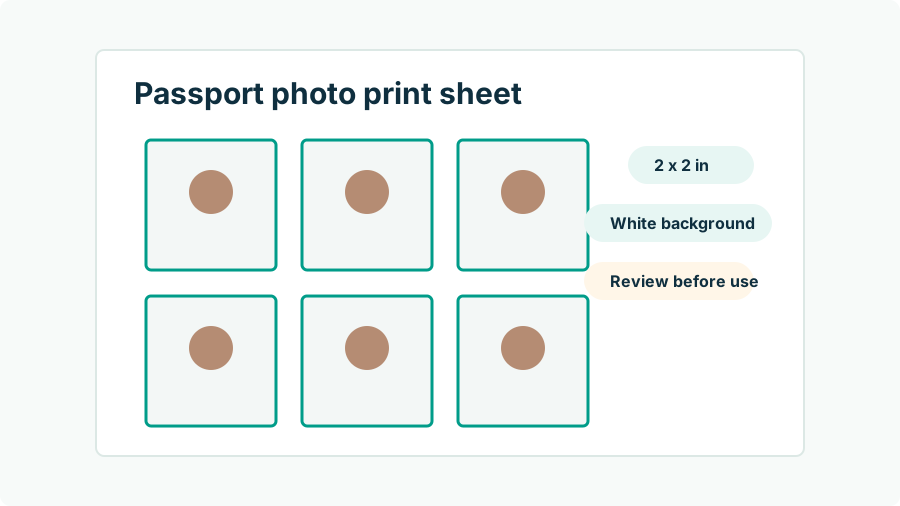
What do passport photos cost at each provider?
Staffed passport photos in the U.S. cluster between $8 and $20 for the standard pair of 2 x 2 prints. The post office charges a flat $15. Pharmacies sit at the top of the range, big-box stores at the bottom, and membership organizations discount for their members. Digital copies, when offered, usually cost extra.
| Provider | Typical price | Notes |
|---|---|---|
| USPS | $15 | Prints only; not all locations offer photos |
| CVS | ~$16.99 | Walk-in; digital copy sometimes an add-on |
| Walgreens | ~$15–17 | Walk-in |
| Walmart | ~$8 | Cheapest staffed option in most areas |
| FedEx Office / UPS Store | ~$13–17 | Convenient with shipping errands |
| AAA | ~$10–15 | Member pricing varies by club |
| DIY: app + kiosk 4 x 6 print | Under $1 printing + app cost | Digital file included by definition |
All figures are typical rather than guaranteed — prices vary by location and change over time.
Why do family passport photos add up so fast?
Because staffed pricing is strictly per person, and passports for children expire faster than adults'. A family of four at a pharmacy pays roughly $60–68 in photo fees alone; do that every five years per child (child passports last five years, not ten) and photos quietly become a recurring travel tax. The math flips completely at home: one 4 x 6 print sheet holds multiple 2 x 2 photos, kiosk printing costs about 35–70 cents a sheet, and every family member can be photographed in the same ten-minute session against the same wall. The equipment — a phone and daylight — is already in your pocket. The only per-person cost left is the formatting, which is where a tool like Passport Photo AI earns its keep by handling each person's crop and head-size framing.
What hidden costs should you budget for?
Three costs never show up on the price sign. First, retakes: a store photo you hate, or one taken more than six months before you finally apply, means paying again. Second, the digital gap: if you later use online renewal, prints are useless — you need a file, and scanning a print is explicitly against the upload rules. Third, and largest, rejection: a photo refused during processing delays the whole application by weeks, which can cascade into expedite fees or rebooked travel. A rejected $17 photo costs far more than $17. This is why the smart money is less about finding the cheapest shutter-press and more about making sure the photo meets the specification the first time.
What government fees sit behind the photo?
For context, the photo is the small line item. Adult first-time applicants pay a $130 application fee for the passport book plus a $35 execution fee at the acceptance facility — $165 before any photo. Online and mail renewals are $130 for the book; a passport card is $30, or $160 for both together. Expedited service, where available, adds more (online renewals cannot be expedited at all). None of these fees include a photo, ever — the government assumes you arrive with one. Seen against $165 in unavoidable fees, spending $0.50 versus $17 on the photo will not change your life, but getting the photo right protects the timeline the $165 is buying.
How do you get a compliant photo for under a dollar?
- Shoot at home: plain white or off-white wall, even window light, camera at eye level about four feet away, neutral expression, no glasses.
- Format: crop to the official 2 x 2 geometry with the head between 1 and 1 3/8 inches chin to crown. Passport Photo AI builds this crop and a 4 x 6 print sheet automatically, with compliance warnings for shadows, tilt, and background clutter.
- Print: order a single 4 x 6 at a pharmacy kiosk on photo paper — about 35–70 cents — and pick it up in an hour or less. See the kiosk printing guide.
- Verify and cut: measure a printed square (exactly 2 x 2 inches), confirm sharpness, cut on the guides.
When is paying for a staffed photo worth it?
Sometimes convenience is the product. If you are already at the post office for your DS-11 appointment, adding the $15 photo saves a second errand and the clerk handles background and framing decisions for you. If nobody is around to hold your phone, a counter beats a risky arm-length selfie. And if you find kiosk settings and cutting annoying, $15–17 to make the problem go away is a fair trade. Just check the output before you leave — shadows, head size, sharpness — because a staffed photo carries no acceptance guarantee either. The passport agency judges the image against the requirements; who took it and what it cost never enter the equation.
FAQ
How much is a passport photo at CVS, Walgreens, or USPS?
USPS charges $15 for two prints; CVS is about $16.99 and Walgreens typically $15–17, varying by location. Walmart photo centers are usually the cheapest staffed option at roughly $8.
How can a family save on passport photos?
Take each person's photo at home, place the 2 x 2 crops onto 4 x 6 print sheets, and print at a kiosk for under a dollar per sheet. A family of four pays cents in printing instead of $60+ in counter fees.
Are online passport photo services cheaper than stores?
Generally yes. App-based tools charge per generation or in credit packs, which lands well under staffed-counter prices — especially since one output usually covers both the digital file and a printable sheet.
Do passport photos cost extra beyond the passport fee?
Yes, photos are never included in government fees. An adult first-time applicant pays $130 (application) + $35 (execution fee), and the photo — store or DIY — is on top of that.
Is a cheap photo riskier than an expensive one?
Price does not predict acceptance. A correctly framed, unedited phone photo printed on real photo paper meets the same specification as a $17 drugstore photo. What creates risk is missing requirements — shadows, wrong head size, editing — at any price.
How Passport Photo AI helps
Passport Photo AI turns an everyday photo into a passport-style crop or print sheet. It centers the face, sizes the head to the official 2 x 2 geometry, flags likely compliance problems like shadows or tilt, and exports both a digital square and a 4 x 6 print layout. It does not alter your appearance in the submission workflow, and the final decision always belongs to the passport agency or acceptance facility — verify your photo against the official requirements before you submit it.