
How Do You Print Passport Photos at CVS or Walgreens on a 4 x 6?
Print your own 2 x 2 passport photos on a 4 x 6 sheet for under a dollar: kiosk settings that preserve exact scale, paper choice, measuring before cutting, and when the counter service is worth $17.
How does the 4 x 6 print-sheet trick work?
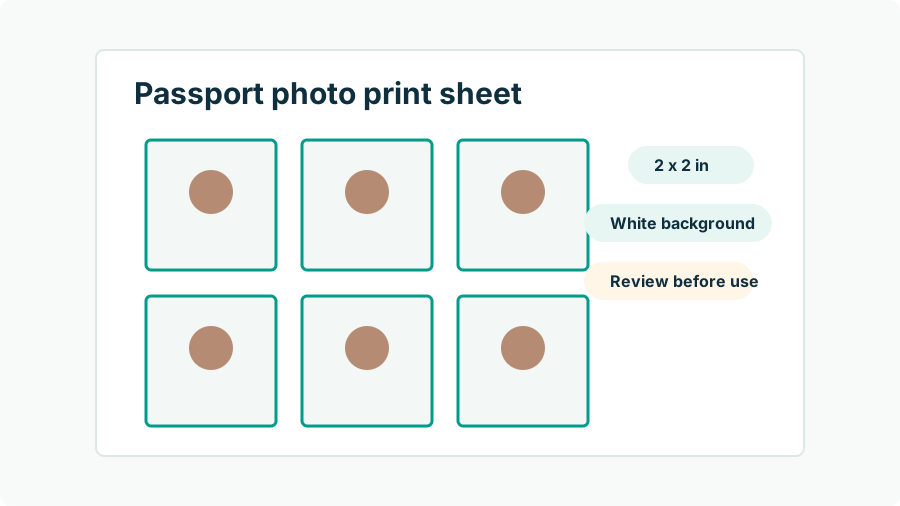
Passport photos are 2 x 2 inches; a standard 4 x 6 print is the cheapest photographic paper you can buy at any pharmacy. Place multiple 2 x 2 photo tiles onto a single 4 x 6 canvas — with cut guides between them — and one 50-cent print yields several passport photos. The critical requirement is scale fidelity: the tiles must print at exactly 2 x 2 inches, which means the 4 x 6 file must be printed edge-to-edge with no resizing. Passport Photo AI generates this sheet automatically from your photo, with the crops already sized to the official geometry (head between 1 and 1 3/8 inches chin-to-crown), so the kiosk's only job is to put ink on paper without improvising.
What are the exact steps at a CVS or Walgreens kiosk?
- Create the sheet first: generate your 4 x 6 print-sheet file from a compliant, unedited photo.
- Get the file to the kiosk: upload through the store's photo website/app for pickup, or bring it on your phone (most kiosks pair by cable, app, or QR code).
- Order a standard 4 x 6 print — not a passport photo product, not wallet prints, not a collage.
- Disable the meddling: turn off auto-enhance/auto-correct, choose "actual size" or turn off fit/fill scaling, and select borderless printing.
- Print and measure: before leaving, put a ruler on one square — exactly 2 inches per side.
- Cut on the guides with scissors or a paper trimmer, keeping the surface clean of smudges and creases.
Same-day pickup is routine; many stores print in under an hour.
What does DIY printing cost compared to counter service?
| Option | Typical cost | What you get |
|---|---|---|
| CVS/Walgreens staffed passport photo | ~$15–17 | They shoot and print two 2 x 2 photos |
| USPS passport photo service | $15 | Two prints, appointment often needed |
| DIY: 4 x 6 sheet at pharmacy kiosk | ~$0.35–0.70 per sheet | Multiple 2 x 2 photos from your own shot |
| DIY: home photo printer | Paper + ink, pennies per sheet | Same, if the printer holds true scale and photo quality |
For one person the DIY saving is about $15; for a family it multiplies per head while the sheet cost barely moves — a family of four can print every passport photo they need for about a dollar. Prices vary by market, so treat figures as typical.
Which kiosk settings ruin passport prints?
Three settings account for nearly every spoiled sheet. Fit/fill scaling: if the kiosk's 4 x 6 template and your file disagree by even a few pixels, "fit" letterboxes and shrinks (squares print small) while "fill" crops edges (squares print large or lose their guides) — choose actual size or borderless with scaling off. Auto-enhance: the kiosk's automatic color and skin "improvements" are digital alterations of an identity photo; official guidance wants the unedited image, so switch every enhancement off. Wrong product: collage, wallet, and greeting-card templates re-layout your carefully measured sheet. If the preview shows anything other than your file filling the 4 x 6 edge-to-edge untouched, stop and fix the settings before paying.
What should the final print look like before you cut?
Inspect against the print-side requirements: photo-quality paper (matte or glossy both acceptable), sharp detail with no visible printer dots or banding, accurate skin tones without color cast, and squares that measure exactly 2 x 2 inches. Then check the image content one last time — plain light background, no shadows, head centered, neutral expression — because paper quality can't save a non-compliant photo, and printing sometimes reveals shadows that looked faint on screen. Cut carefully on the guides; ragged edges and creases through the face are avoidable own-goals. Handle prints by the edges and keep them flat until your appointment — a pristine photo stapled to a DS-11 is the goal (staff do the attaching; see the in-person application guide).
When is the $17 counter service actually the better buy?
When the photo doesn't exist yet and logistics are against you: no second person to hold the phone, no plain wall available, an application appointment in an hour, or a subject (toddler, reluctant teenager) who will tolerate exactly one photo session. The staffed service bundles capture, compliance judgment, and printing into one transaction — that bundle is what the money buys. But if a compliant photo already lives on your phone, paying $17 to have it printed is paying the camera fee twice; the kiosk sheet delivers identical paper for fifty cents. Either way, the print's acceptance is decided by the acceptance agent and passport agency against the published spec — check the photo yourself before it goes anywhere official.
FAQ
Can I print passport photos on a regular 4 x 6 photo print?
Yes. A 4 x 6 print is just paper — if the file placed on it contains 2 x 2 inch photo tiles at exact scale, cutting them out yields fully valid passport photos. The whole game is preventing the kiosk from rescaling the image.
How much does it cost versus the store's passport photo service?
A 4 x 6 print runs roughly 35–70 cents at CVS or Walgreens kiosks, versus about $15–17 for the staffed passport photo service. The staffed price buys the camera work; if you already have a compliant photo, you only need the paper.
What print settings should I choose at the kiosk?
Standard 4 x 6 glossy or matte print, with any 'fit to page,' 'fill,' auto-crop, borders, or auto-enhance options turned off. Scaling changes the photo's physical size and enhancement counts as altering the image.
What paper is acceptable?
Matte or glossy photo-quality paper — both are fine per official guidance. Plain printer paper, photocopies, and low-quality prints with visible printer dots are not acceptable.
How do I know the print came out the right size?
Measure a printed square with a ruler before cutting: exactly 2 x 2 inches. If it's off, a kiosk scaling setting intervened — reprint with scaling disabled rather than trimming to compensate.
How Passport Photo AI helps
Passport Photo AI turns an everyday photo into a passport-style crop or print sheet. It centers the face, sizes the head to the official 2 x 2 geometry, flags likely compliance problems like shadows or tilt, and exports both a digital square and a 4 x 6 print layout. It does not alter your appearance in the submission workflow, and the final decision always belongs to the passport agency or acceptance facility — verify your photo against the official requirements before you submit it.