
Applying for a U.S. Passport in Person: What Do You Need to Bring?
First-time applicant guide to form DS-11: who must apply in person, the documents and photocopies to bring, current fees, and how to show up with a compliant 2 x 2 photo.
Who must apply in person instead of by mail or online?
Form DS-11 — the in-person application — is required for anyone the State Department has not previously verified as an adult: first-time applicants of any age, all children under 16, applicants aged 16 and 17, and anyone replacing a passport that was lost, stolen, significantly damaged, or issued long enough ago that renewal rules no longer apply. If your most recent passport was a 10-year adult passport in good condition, you likely qualify for online renewal or mail renewal instead and can skip the appointment entirely. Everyone else brings their paperwork — and a printed 2 x 2 photo — to an acceptance facility, where an agent witnesses your oath and seals the application.
Where do I go, and do I need an appointment?
Thousands of post offices, public libraries, county clerk offices, and some city halls serve as passport acceptance facilities. The State Department's website has a facility search tool; USPS runs its own scheduler for post office appointments. Many locations require appointments and popular ones book out weeks ahead, so check before showing up — especially in spring, when demand peaks before summer travel. A subset of facilities (about 1,700 post offices among them) also offer on-site photo service for around $15 if you prefer not to bring your own. If you need the passport urgently, regional passport agencies handle life-or-death and imminent-travel cases by appointment, which is a separate process from routine acceptance facilities.
What documents do I need to bring?
The DS-11 checklist is strict, and missing photocopies are the classic reason people get turned away:
| Item | Details |
|---|---|
| Form DS-11 | Filled out but not signed — you sign in front of the acceptance agent |
| Proof of U.S. citizenship | Certified birth certificate, prior passport, or naturalization certificate — original or certified copy |
| Photocopy of citizenship proof | Single-sided, plain paper — the original goes off with your application and is mailed back |
| Photo ID | Driver's license, state ID, or similar |
| Photocopy of photo ID | Front and back |
| One 2 x 2 photo | Color, taken within 6 months, plain light background, photo-quality paper |
| Payment | $130 application fee (check or money order to U.S. Department of State) + $35 execution fee paid to the facility |
What are the steps on the day?
- Confirm your appointment and re-check the document list — originals and photocopies.
- Arrive with the DS-11 unsigned. The acceptance agent must witness your signature; a pre-signed form gets rejected.
- Hand over documents and photo. The agent reviews the photo against the requirements on the spot — this is the first of two reviews, since the passport agency checks it again during processing.
- Take the oath and sign in front of the agent.
- Pay both fees — they go to different parties, so you may need two payments.
- Keep your receipt; the application locator number on it lets you track status online.
Should I bring my own photo or pay for one at the counter?
Bringing your own is cheaper and lower-pressure, and it is completely allowed. The requirements for a self-supplied print are the same as any passport photo: 2 x 2 inches, head between 1 and 1 3/8 inches chin-to-crown, taken in the last 6 months, plain white or off-white background, neutral expression, no glasses, printed on matte or glossy photo paper — and unedited, per the State Department's no-filters, no-digital-changes rule. Passport Photo AI turns a phone photo into a 4 x 6 print sheet with correctly sized 2 x 2 crops you can print at any pharmacy kiosk for under a dollar; see how to print at CVS or Walgreens. Just verify the final print yourself — the acceptance agent and the passport agency make the actual call.
What trips people up most at acceptance facilities?
Five recurring mistakes: signing the DS-11 in advance (it must be witnessed); forgetting photocopies of the citizenship document and ID; bringing a photo older than six months or one wearing glasses; paying with a method the facility doesn't take (many want check or money order for the State Department portion); and for children, arriving without both parents or the DS-3053 consent form. The photo deserves particular care because it fails twice as easily — once at the counter if the agent spots a problem, and again weeks later if the passport agency disagrees. A photo that is the right size, recent, unedited, and against a clean background removes the most common failure mode from your application.
FAQ
Who has to apply for a passport in person?
First-time applicants, children under 16, applicants 16–17, anyone whose previous passport was lost, stolen, or damaged, and anyone not eligible for mail or online renewal. In-person applicants use form DS-11 at an acceptance facility such as a participating post office, library, or clerk's office.
What photo do I bring to a DS-11 appointment?
One color 2 x 2 inch photo taken in the last 6 months, printed on photo-quality paper, with a plain white or off-white background, neutral expression, and no glasses. Do not staple or attach it yourself unless instructed — staff handle attachment.
How much does a first-time adult passport cost?
The application fee for an adult passport book is $130, paid to the U.S. Department of State, plus a $35 execution (acceptance) fee paid separately to the facility. Photo services, if you use the facility's, are extra — typically around $15.
Do children need to be present?
Yes. Minors must appear in person, and for children under 16 both parents or guardians generally must appear and consent (or provide notarized consent from the absent parent, form DS-3053).
Can I take my own photo for an in-person application?
Yes, as long as the print meets the official requirements — correct 2 x 2 size, proper head size, plain background, photo-quality paper, unedited. Bringing your own photo avoids the counter photo fee and lets you retake at home until you're happy.
How Passport Photo AI helps
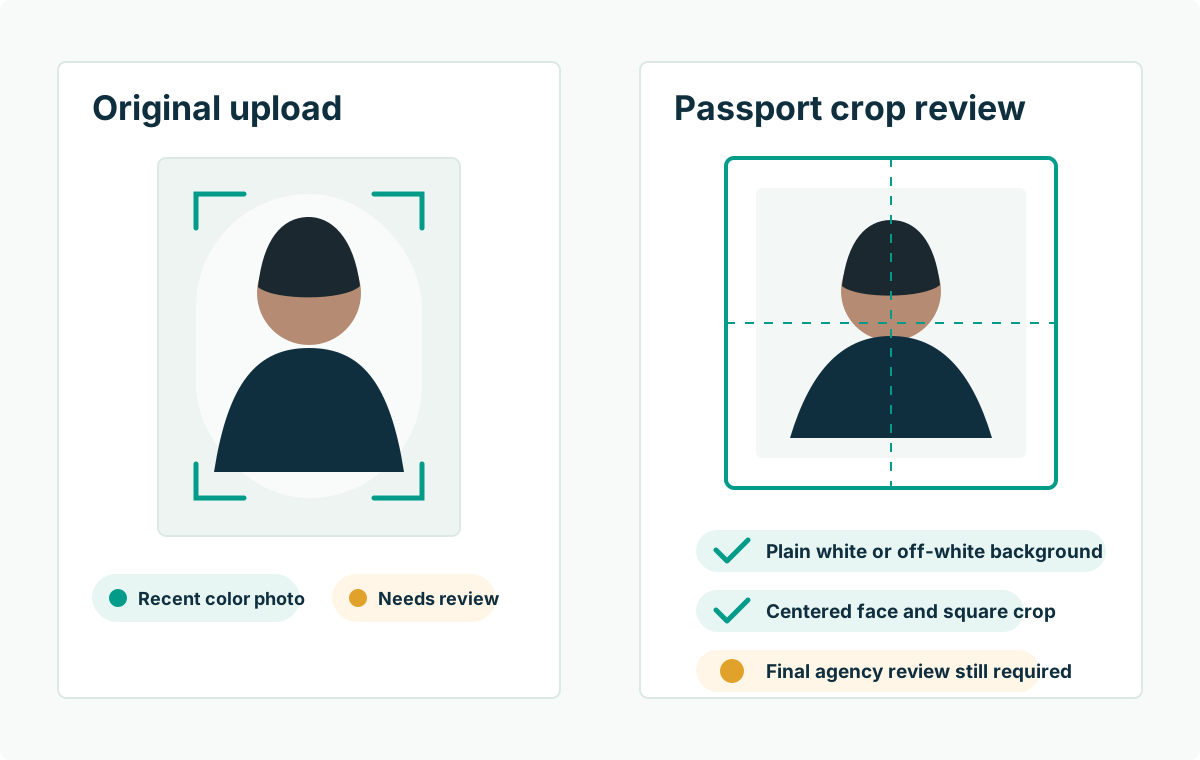
Passport Photo AI turns an everyday photo into a passport-style crop or print sheet. It centers the face, sizes the head to the official 2 x 2 geometry, flags likely compliance problems like shadows or tilt, and exports both a digital square and a 4 x 6 print layout. It does not alter your appearance in the submission workflow, and the final decision always belongs to the passport agency or acceptance facility — verify your photo against the official requirements before you submit it.