
Can AI Turn an Angled Photo Into a Passport Photo?
AI can re-pose a side-angled face to a straight-on passport-style view — here is how it works, why that output is not valid for U.S. passport submission, and what to use it for instead.
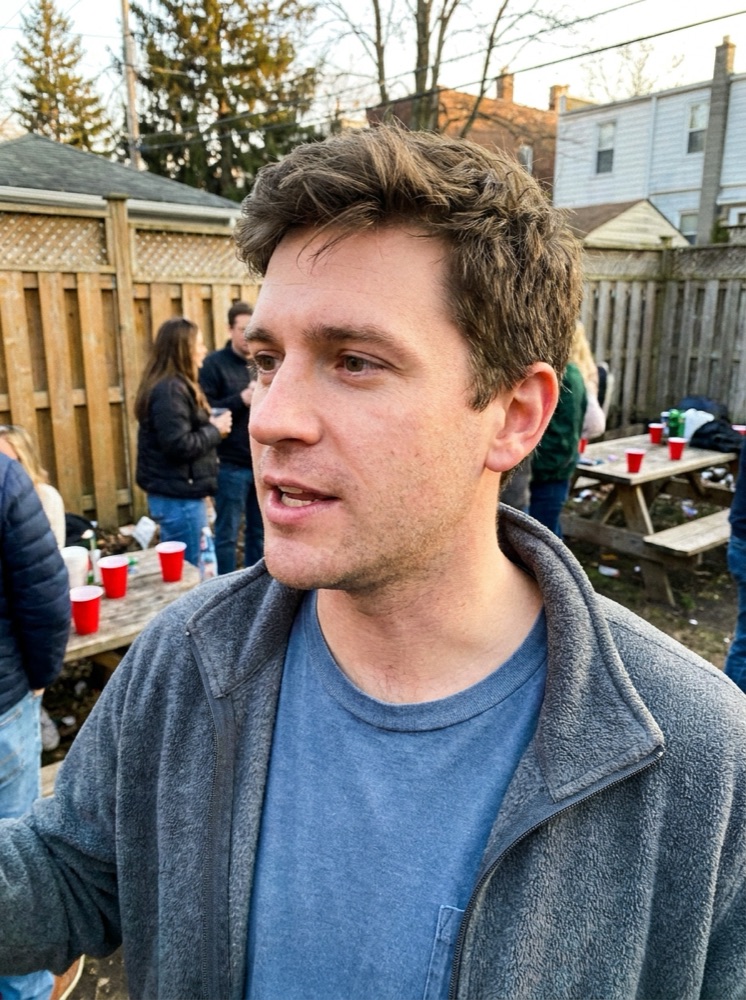
Can AI really rotate my face to straight-on?
Yes — this is one of the more startling capabilities of modern image models. From a single three-quarter or side-angled photo, a model can infer the full three-dimensional structure of your face and render a front-facing version: eyes to camera, chin level, shoulders squared, lighting evened out, background replaced with a clean plain field. On a good source photo the output is hard to distinguish from a studio shot. The technology is real and it is what Passport Photo AI's generative mode does. The question that matters for your passport application is not whether AI can do it — it is whether the U.S. government will accept a synthesized face view. It will not, and it says so explicitly.
Is a re-posed photo valid for a U.S. passport application?
No. The State Department's photo guidance instructs applicants to "submit the original, unedited photo without filters or digital changes," and the online renewal upload page states directly: "Do not use a photo you created or edited using artificial intelligence or other digital tools." A re-posed face is the strongest possible version of an AI edit — every pixel of the front-facing view is synthesized rather than captured. Identity photos exist to record what a camera saw, because facial recognition systems and human inspectors compare that record against the person at the counter. A generated view breaks that chain even when it looks perfect, and photos showing signs of digital manipulation are a documented rejection category. Treat re-posed output as a preview, never as the submission.
What is a re-posed render actually good for?
Plenty, once you separate official from unofficial uses:
| Use case | Re-posed AI photo OK? |
|---|---|
| U.S. passport application or renewal upload | No — unedited original required |
| U.S. visa and most government IDs | No — same unedited-photo principle |
| Work badge, gym or club membership card | Usually fine — check the issuer |
| Resume, profile picture, avatar | Yes |
| Preview of correct passport framing before a reshoot | Yes — that is its best passport-adjacent use |
The preview use is underrated: seeing yourself rendered at the correct head size, expression, and background makes it much easier to reproduce the pose with a real camera.
How do I retake a straight-on photo that will pass?
The real shot takes about five minutes with a helper:
- Stand a few feet in front of a plain white or off-white wall so shadows fall away behind you.
- Have someone hold the phone at your eye level about four feet away — arm-length selfies distort face proportions.
- Face the lens directly: ears equally visible, chin level, shoulders square. Neutral expression, mouth closed, both eyes open.
- Use soft, even light from a window in front of you. No overhead-only light, no flash against the wall.
- Shoot 10–20 frames, then pick the sharpest one where you look like your everyday self.
From there, run the chosen frame through the crop tooling to produce the 2 x 2 digital square and 4 x 6 print sheet — formatting that leaves your appearance untouched.
Why do angled photos dominate our camera rolls anyway?
Because candid photos flatter. A slight turn slims the jawline, a glance off-camera reads as natural, and photographers instinctively avoid the flat, frontal, mugshot-like framing — which is precisely the framing an identity document needs. That mismatch is why so many people arrive at a passport application with a phone full of great photos and none that qualify, and why "just use the good one" tools are tempting. The compliance-first move is to accept that the passport photo is a different genre: it is not supposed to be your best photo, it is supposed to be an accurate one. Save the flattering angle for the profile picture.
What does a compliance-first tool do differently?
It draws the line for you. Passport Photo AI can generate a straight-on render when you want a preview or a non-official ID image, but for passport submission its useful work is the unglamorous part: verifying your real photo is front-facing, sizing the head into the official 1 to 1 3/8 inch band, checking the background and lighting, and exporting an upload-ready square plus a print sheet — all without altering your face. No tool can guarantee acceptance; the final photo is always your responsibility to verify against travel.state.gov. But keeping generation and formatting clearly separated is what keeps an AI tool on the right side of the current rules.
FAQ
My only good photo is at an angle. Can AI fix it?
AI can generate a straight-on version of an angled face, and the result often looks booth-quality. But for a U.S. passport application it does not count: official guidance requires the original, unedited photo and specifically rules out images created or edited with AI. Use the render as a preview, then retake a real straight-on shot.
Why does a passport photo have to be straight-on?
The photo feeds identity verification, including facial recognition at borders. Matching algorithms and human inspectors both rely on a full-face, level, front-facing view. An angled or tilted head changes the measurable geometry of your face, which is why the requirement exists at all.
Is a re-posed AI photo good for anything?
Yes — anywhere edited images are acceptable: profile photos, badges, membership cards, mockups, or previewing correct framing before a real shoot. It is specifically government identity documents where synthesized imagery is off the table.
How do I get a straight-on photo if I'm bad at posing?
Have someone else shoot from about four feet away with the camera at eye level. Look directly into the lens, keep your chin level and shoulders square, and take many frames. Reviewing an AI-generated straight-on preview first helps you see what the target pose looks like on you.
Does Passport Photo AI tell me if my photo is angled?
Its checks flag off-angle poses, tilt, and framing problems, and the crop tooling works on any photo. The compliance-first path is to fix pose issues by reshooting, not by generating a synthetic face for submission.
How Passport Photo AI helps
Passport Photo AI turns an everyday photo into a passport-style crop or print sheet. It centers the face, sizes the head to the official 2 x 2 geometry, flags likely compliance problems like shadows or tilt, and exports both a digital square and a 4 x 6 print layout. It does not alter your appearance in the submission workflow, and the final decision always belongs to the passport agency or acceptance facility — verify your photo against the official requirements before you submit it.