
What Size Is a U.S. Passport Photo? The 2 x 2 Crop Explained
U.S. passport photo dimensions in detail: the 2 x 2 inch print, the 1 to 1 3/8 inch head-size rule, digital file specs for online renewal, and how to get the crop right.
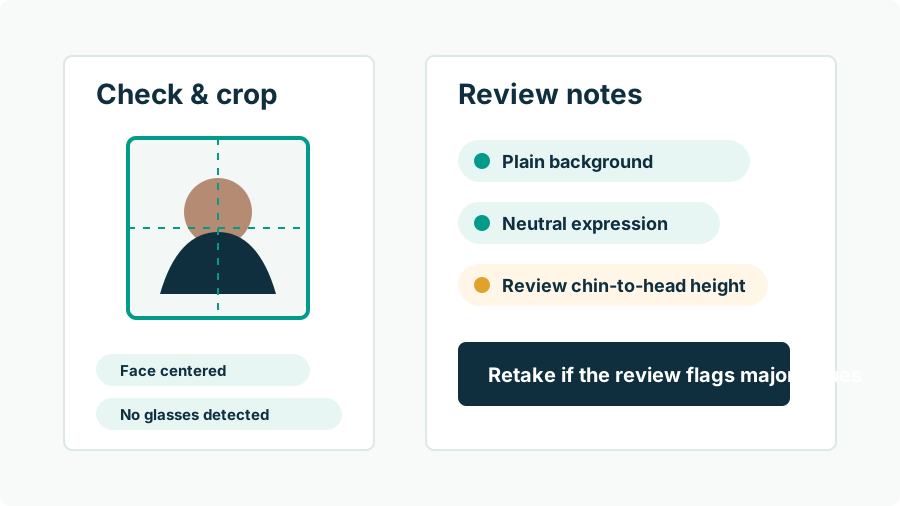
What exactly are the U.S. passport photo dimensions?
The printed standard is a 2 x 2 inch (51 x 51 mm) square. Within that square, the State Department specifies head size: between 1 and 1 3/8 inches (25–35 mm) measured from the bottom of the chin to the top of the head, with the head centered and fully visible. The photo must be in color, taken within the last 6 months, against a plain white or off-white background. For online renewal there is a digital equivalent instead of a print: an original file in JPG, JPEG, PNG, HEIC, or HEIF format, between 54 KB and 10 MB, sharp and uncompressed, framed from around the shoulder line up.
| Spec | Printed photo | Digital upload (online renewal) |
|---|---|---|
| Frame | 2 x 2 in (51 x 51 mm) square | Square framing, head centered |
| Head height | 1–1 3/8 in (25–35 mm) chin to crown | Same proportions |
| File | Photo-quality paper, matte or glossy | JPG/JPEG/PNG/HEIC/HEIF, 54 KB–10 MB |
| Recency | Last 6 months | Last 6 months |
| Background | Plain white or off-white | Plain white or off-white |
How big should your head be in the frame?
The head-size band — 1 to 1 3/8 inches inside a 2-inch frame — means your head should occupy roughly 50% to 69% of the photo's height. That is noticeably tighter framing than people expect: a typical casual portrait leaves far more space around the subject, and a typical selfie fills far more of it. The eyes end up a little above the vertical center of the square, with a modest band of background above the hair and the frame bottom cutting around the collar or shoulder line. This one proportion causes an outsized share of rejections, because it is invisible to intuition — a photo can look perfectly nice and still have a head 20% too small for the spec.
Why does head size trip so many people up?
Because it is a measurement, and humans do not eyeball measurements well. Stand a step too far from the camera and your chin-to-crown height lands under an inch when printed; lean in and it overshoots 1 3/8. Hair adds ambiguity — the measurement runs to the top of the head, not the top of a hairstyle, and voluminous hair makes the crop judgment genuinely tricky. Manual cropping in a photos app compounds the error, since you are guessing at where 25–35 mm falls in a digital preview. This is a solved problem for software: face-detection tooling measures chin and crown positions in pixels and builds the crop so the printed head height lands mid-band, which is exactly the kind of formatting the rules permit.
How do you get the crop right, step by step?
- Shoot wide. Frame from mid-torso up with space above your head — you cannot crop in pixels that were never captured.
- Keep the camera at eye level, about four feet away, so proportions stay true (arm-length selfies distort them).
- Run the crop with software that targets the official geometry. Passport Photo AI centers the head and sizes it into the 1–1 3/8 inch band automatically, then exports both the digital square and a 4 x 6 print sheet.
- Sanity-check the result: head about half to two-thirds of frame height, eyes slightly above center, some background visible above the hair.
- After printing, measure. The physical square must be exactly 2 x 2 inches — kiosk "fit" or "fill" settings can silently rescale it.
What about resolution and print quality?
Sharpness requirements apply at both ends. Digitally, the photo must not be grainy, pixelated, or visibly compressed — which rules out screenshots, social-media re-downloads, and heavily messaged copies of the original file. A modern phone's rear camera exceeds the needed resolution many times over, so the failure mode is almost always what happens to the file after capture, not the camera. In print, use real photo paper (matte or glossy both acceptable) rather than plain office paper, and never submit a photocopy or a photo-of-a-photo; the official guidance calls out visible printer dots as a defect. If a kiosk print comes out soft or banded, reprint — the fifty cents is cheaper than a processing delay.
Is the U.S. size the same as other countries' photos?
No, and this catches dual applicants constantly. The U.S. 2 x 2 inch square is unusual internationally — most of the world, including the UK, the Schengen area, and Canada (for visas), uses a 35 x 45 mm rectangle, while China uses 33 x 48 mm. A photo cropped for one format cannot simply be recropped to another, because head-size rules differ too; you need the original, wider frame to regenerate each geometry. If you are assembling documents for multiple countries, see our passport vs. visa photo size comparison, and always verify against the issuing country's official specification — sizes here are informational, and the deciding authority is always the government reviewing your application.
FAQ
What size is a U.S. passport photo?
2 x 2 inches (51 x 51 mm), square, in color, with your head centered and measuring between 1 and 1 3/8 inches (25–35 mm) from the bottom of the chin to the top of the head.
What are the digital size requirements for online renewal?
The upload accepts JPG, JPEG, PNG, HEIC, or HEIF files between 54 KB and 10 MB. The image should be a sharp, uncompressed original framed from about the shoulder line up, with the head centered.
Does the photo have to be exactly square?
Yes. The U.S. format is a 2 x 2 inch square for prints, and the online upload expects square framing as well. Rectangular photos get cropped to square one way or another — better that you control the crop.
How do I know if my head is the right size in the frame?
In a correct 2 x 2 crop, chin-to-crown height occupies roughly half to just over two-thirds of the frame. If your head fills the square edge-to-edge it is too big; if there is a lot of wall above and beside you, too small.
Is cropping my photo considered digital alteration?
No. Cropping and resizing select existing pixels and are how every passport photo is produced. The prohibition is on changes to your appearance — filters, retouching, AI edits — not on framing.
How Passport Photo AI helps
Passport Photo AI turns an everyday photo into a passport-style crop or print sheet. It centers the face, sizes the head to the official 2 x 2 geometry, flags likely compliance problems like shadows or tilt, and exports both a digital square and a 4 x 6 print layout. It does not alter your appearance in the submission workflow, and the final decision always belongs to the passport agency or acceptance facility — verify your photo against the official requirements before you submit it.