
Green Card and USCIS Photo Requirements: What Size and Rules Apply?
USCIS immigration photos use the same 2 x 2 inch passport-style spec — head size, white background, no retouching. Which forms need photos, the shift toward biometrics-appointment capture, and how to prepare compliant prints.
What photo does a green card application require?
USCIS uses the same photo standard as the U.S. passport: a 2 x 2 inch (51 x 51 mm) color photo, taken recently, showing a full frontal face with a neutral expression against a plain white or off-white background, with the head measuring roughly 1 to 1 3/8 inches from chin to crown. Glasses are off, head coverings follow the same religious/medical documentation rules, and the image must be an accurate, unretouched likeness. When a form asks for prints, they go on photo-quality paper with untrimmed square corners, often with your name (and A-number, if you have one) penciled lightly on the back — check your form's instructions for the exact labeling request. In short: if you can produce a compliant passport photo, you can produce a compliant USCIS photo.
| Spec | USCIS requirement |
|---|---|
| Size | 2 x 2 in (51 x 51 mm) square |
| Head height | ~1–1 3/8 in (25–35 mm), chin to top of head |
| Background | Plain white or off-white |
| Expression / pose | Neutral, mouth closed, facing camera directly, eyes open |
| Glasses | No (medical documentation for exceptions) |
| Editing | None — unretouched, accurate likeness |
| Color, photo-quality paper, squared edges |
Which immigration filings involve photos?
Photos surface throughout the immigration pipeline. Adjustment of status inside the U.S. (Form I-485, the main green-card application) has traditionally asked applicants to enclose passport-style photos; work permits (I-765) and travel documents (I-131) have as well. Consular green-card processing abroad and the Diversity Visa lottery use the State Department's photo standards, including digital photo uploads with their own pixel requirements. Green card renewal (I-90) and naturalization (N-400) round out the list. The exact photo count and whether you submit any photo yourself vary by form and change over time — the form instructions on uscis.gov are the binding source, and reading the photo paragraph of your specific form's current instructions is a two-minute step that prevents an RFE (Request for Evidence) later.
Didn't USCIS change how photos are collected?
Yes — and it makes checking your form's instructions more important, not less. In late 2025 USCIS announced a policy shift toward capturing applicant photos (and signatures) at Application Support Center biometrics appointments for many domestically filed benefits, presenting it as an identity-verification and anti-fraud measure. For affected filings, the photo that ends up on your green card is taken by USCIS itself, not mailed in by you. But the change is not universal: some categories, overseas filings, and consular processes still rely on applicant-provided photos, and the DV lottery's digital photo upload remains applicant-side. The practical takeaway: don't pre-print a stack of photos out of habit, and don't skip photos out of habit either — open your form's current instructions and do exactly what the photo section says for your filing date.
How strict is the no-editing rule in immigration photos?
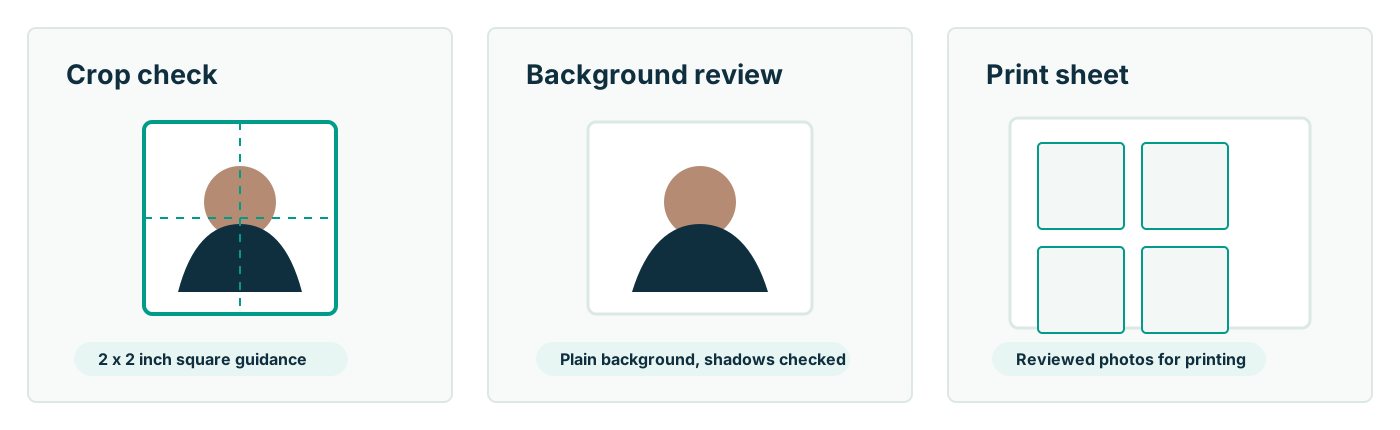
At least as strict as on the passport side, with higher stakes. An immigration photo feeds identity verification across multiple databases and, ultimately, the biometric checks on the card itself; a retouched, filtered, or AI-altered photo undermines that chain, and in an immigration context, material misrepresentation carries consequences far beyond a photo re-do. USCIS's move toward capturing photos in person at ASCs is explicitly motivated by preventing manipulated or substituted photos. So the compliance-first rules apply with no asterisks: use a real camera original, no beautification, no background repainting, no AI cleanup — and where you provide photos, let software touch only the geometry. Passport Photo AI's crop-and-check workflow (2 x 2 sizing, head-height framing, background and shadow flags, 4 x 6 print sheets) fits that boundary; its generative features do not belong anywhere near a USCIS filing.
How do you prepare compliant photos when they're required?
- Confirm the requirement: read the photo section of your form's current instructions — number of photos, labeling on the back, or whether photos are captured at your biometrics appointment instead.
- Shoot a fresh photo: plain white or off-white wall, soft frontal daylight, 3–6 feet off the wall, rear camera at eye level, neutral expression, no glasses.
- Crop to the U.S. 2 x 2 geometry with the head in the 1–1 3/8 inch band — measured by software, not eyeballed.
- Print on photo paper via a 4 x 6 kiosk sheet, verify each square measures exactly 2 x 2 inches, and cut cleanly with square corners.
- Label as instructed (typically name and A-number lightly penciled on the back) and enclose without staples through the face.
What photo mistakes cause immigration filings trouble?
The same defects that sink passport photos — shadows, busy backgrounds, wrong head size, glasses, smiles, low-quality prints — plus a few filing-specific ones: submitting photos older than the form's recency window, ignoring a form's specific photo count, forgetting the back-of-photo labeling, trimming corners round, and reusing the exact photo from a years-old filing (identity photos should reflect how you look now). Each defect typically draws an RFE rather than outright denial, but an RFE adds weeks or months to processes already measured in months. Photos are among the cheapest parts of an immigration case to get exactly right — a ten-minute home session against a plain wall, formatted to spec and honestly unedited, removes the risk entirely. Verify the final result against uscis.gov's current photo guidance for your form; that instruction page, not any tool, is the authority.
FAQ
What size photo does USCIS require?
The standard U.S. passport-style photo: 2 x 2 inches (51 x 51 mm), color, head between 1 and 1 3/8 inches from chin to crown, plain white to off-white background, neutral expression, no glasses.
How many photos do immigration forms need?
It varies by form — adjustment-of-status filings have traditionally asked for two identical passport-style photos, and consular/lottery processes have their own counts. Always follow the photo instructions on your specific form's current instructions page at uscis.gov or travel.state.gov.
Is it true USCIS stopped accepting mailed-in photos for some forms?
USCIS announced a policy shift in late 2025 toward capturing photos at Application Support Center biometrics appointments for many domestic filings, citing fraud prevention. Coverage varies by form and situation — check your form's current instructions rather than assuming either way.
Can green card photos be retouched or AI-edited?
No. USCIS and State Department photo standards both require an accurate, unaltered likeness — retouched, filtered, or AI-modified photos undermine the identity-verification purpose and risk rejection or worse in an immigration context.
Are green card photos the same as visa photos?
Same 2 x 2 U.S. format and composition rules. The U.S. uses one photo standard across passports, visas, and USCIS benefits — so one compliant photo session covers any U.S. immigration need that accepts applicant-provided photos.
Can I take my green card photo at home?
Where applicant-provided photos are accepted, yes — same as passport photos. Plain light background, straight-on neutral face, correct 2 x 2 crop, photo-quality print, zero editing.
How Passport Photo AI helps
Passport Photo AI turns an everyday photo into a passport-style crop or print sheet. It centers the face, sizes the head to the official 2 x 2 geometry, flags likely compliance problems like shadows or tilt, and exports both a digital square and a 4 x 6 print layout. It does not alter your appearance in the submission workflow, and the final decision always belongs to the passport agency or acceptance facility — verify your photo against the official requirements before you submit it.